Last Updated: 19 Nov 2023
The Story of the Paperclip: Writing Good Functional Requirements
The Humble Paperclip
The paperclip was invented in the 1890s, and has been around, more or less unchanged, for the last hundred years. It isn’t likely that anyone created a requirements document for the paperclip, but I sometimes like to think of what it would have looked like if someone had.
It could have been about two sentences:
PAPER BINDING DEVICE REQUIREMENTS
Design a device that binds two or more sheets of paper together without damaging them. It
should be  simple to use, lightweight, reusable, inexpensive and easy to manufacture.
Then, after a shot or three of Jim Bean, I think about what the document would look like if some of the people writing software requirements today had written it:
PAPER BINDING DEVICE REQUIREMENTS

BACKGROUND
Global Amalgamated Worldwide Design (GAWD) has been commissioned by OmniCom International
to design a device that will allow the user to hold one or more pieces of thin material
(e.g. paper, transparencies, etc.) together. This document outlines the purpose of the
project, the target market, as well as all functional requirements. It is intended to be read
by GAWD designers, project managers, and executives, as well as OmniCom project managers and
executives.

PURPOSE
The purpose of the project is to design a device that will allow the user to bind, or
otherwise join, two or more sheets of thin material together. Specific requirements of the
device are outlined below, in the  Functional Requirements section.

TARGET MARKET
The target market for this device is anyone that has two or more sheets of thin material to
bind together. This may include office workers, home users, construction workers, service
personnel, or others.

FUNCTIONAL REQUIREMENTS
 * The primary requirement for the device is that it be able to bind, or otherwise join a
   minimum of two, and a maximum of fifteen, sheets of similar thin material together.
 * This material may be made of anything, but the thickness of the material will not exceed
   0.1mm/piece. The height and width of the material shall not exceed 216mm by 279mm.
 * The device should not damage the material in any way in the binding process.
 * The user of the device should be able to use it quickly, in two seconds or less.
 * The weight of the device should not exceed one gram.
 * The device should be easily reusable at least three times.
 * The device should cost less than $0.01 to manufacture in volume.

ADDITIONAL ITEMS
 * The scope of this project includes only the design of the device, not the design of its
manufacturing process. However, designers should put some thought into the process for
manufacturing, to ensure easy of manufacturing.
 * If you've read this far, you get a gold star -- but I bet you didn't!
Is the second requirements document more complete? OK, you've got me there. But is it really better? Not really, because it puts serious limits on the creativity of designer, and its long enough that people may not read all the way through it. It might be useful if you were designing something for the government, but for just about all other projects, its overkill. And it took me twelve times as long to write the second doc as it did the first.

So if you’re tasked with writing requirements for a paperclip, or perhaps software, how do you write requirements that are complete enough that they convey the needed information, but simple enough that people actually read them?
Before we get to the good stuff, a quick interlude: common wisdom has software teams writing two types of requirements, business/functional requirements and technical requirements. (Not sure what's what? There's an entire article on that). Most of these tips are aimed more at the business/functional side, so if you're on the technical side, take this with a grain of salt.
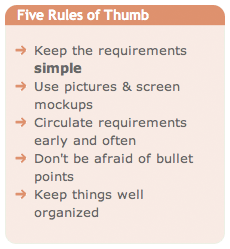
Good Requirements: Five Rules Of Thumb
- Keep It Simple. I can’t overemphasize this one.
People (at least us Americans) don’t like to read. This is why most ads have one sentence. Two at most. Even the ads that have lots of words just use them for decoration. The real message is in the one or two words they’ve highlighted.
By not putting in too much detail, you increase the odd that your programmers, graphic designers, executive staff, and others will actually read your spec. Not just open the file, say to themselves ‘looks like you’ve thought of everything’ and dash off a quick note saying ‘thanks for all the hard work’. Generally, such notes are followed a few weeks or months later by much another wondering where XYZ is.
Putting in too much detail can also sap the creativity of your programmers. Put yourself in their shoes. What if you got some ten page manifesto dropped on your desk that described how the print button was supposed to work, including every last little detail about what to do if the document is too long, too short, contains pictures, is too wide, etc. Just tell them they need to put a print feature in, and that it should be able to print all documents created by the program or gracefully error out, and you’re done.
- Use Pictures. They say a picture is worth a thousand words. Could be true in this case. Creating wireframe interface mockups is one of the best ways to show people what the program will do.
Even better is to hire a graphic or UI designer and get them to create prototypes of the actual screens. You’re going to have to do this at some point anyway, and getting it done now can save a lot of time in the end.
 Circulate Requirements Early and Often, and set hard deadlines for feedback. This is one of the more controversial ones. I believe that it is a good idea to circulate your requirements ‘early and often’ to get feedback, and then set hard deadlines for that feedback (e.g. If I don’t hear from you by Tuesday at noon, I’m going to assume that you think everything is OK).
The goal is to get all the stakeholders in a project to buy in. The problem is that everybody else is just as busy as you are, and its easy to ignore a document, especially if it’s the third revision they’ve seen and they’re leaving for New York in two hours.
One technique I’ve seen used successfully is that of the product design meeting, where you setup a meeting to go over the requirements (or a section of the requirements) and make sure to invite everybody that needs to be there. You tell them that if they don’t show (or otherwise comment), then they don’t get any input.
Of course, the tough talk is hard to enforce when someone does come back three weeks later and say that you absolutely must have XYZ feature. Its particularly hard to enforce when ‘someone’ happens to be your boss. I’m still looking for the perfect solution.

- Use Bullet Points. Some people I know even use PowerPoint, not Word. It gets back to the ‘American’s don’t read’ credo. People do seem to respond better to bullet points.
I really like a bullet point format where you highlight everything critical in the bullet point, and then write the rest in paragraphs later. Give me the bullet point, and if I’m interested in the details I’ll read it.
- Keep It Organized. Group requirements by functional areas of the program, and put in section headings, table of contents, etc. don’t automatically assume that somebody will read the entire doc.
Point of fact: you will likely be the only one to read your doc cover-to-cover, particularly if its for a large system. Everyone else will skim through the features or sections that they care about, or are responsible for, and just skim the rest. Make it easy for them.
That’s it. Now go forth and write!
N.B. It should be noted that there are other schools of thought on writing specs. For example, Joel Spolsky says in Painless Functional Specifications that you should write in ‘mind numbing detail’. I don’t agree with him, but its always good to consider multiple viewpoints before you make a decision.
Discussion
Hmmmmm…
I absolutely get your point about keeping things simple. Boy it would be nice to be able to do that. Unfortunately it never really works that way in the real world. I like your initial statement:
“PAPER BINDING DEVICE REQUIREMENTS
Design a device that binds two or more sheets of paper together without damaging them. It should be simple to use, lightweight, reusable, inexpensive and easy to manufacture.”
I think that that is almost a great “Business Requirement” with the exception that it doesn't say what value such a thing would hold. You'd think, also that anyone should be able to understand “simple to use, lightweight, etc”. but they don't.
“Simple to use” works fine if your target customer can get the idea of how to use it and has the facilities (e.g. hands, fingers, sight) to do so. It doesn't quality “simple”. It's irratating to me, at least, that your statement wouldn't be obvious but people find a way of making it not so. Sort of like the people that had to add “Don't use while in a bath tub full of water” on blow dryers. Unfortunately we have to account for what I would call the “duh” factor.
“Lightweight” could also be a problem. Have you ever noticed that documents stapled together don't tend to fall off a desk as quickly as those paperclipped together? Now that might very well be because of where the paperclip was attached to the document - hence, we need a technical requirement identifying this issue (that's assuming that the risk issue of “falling of the desk” is a critical one).
I know this is nit picky but, quite frankly, until you've worked with engineers (of pretty much ANY kind) you just won't get it.
Roderick-
Thanks for your comments. I actually have worked with a lot of engineers (and am one myself), and I think you're not giving enough credit to engineering staff. In my experience, you only need that level of detail if you're trying to do something with an offsite/offshore team, and even then you're bound to get pretty mediocre results.
If you give engineers some direction, help them understand the problem and then let them run with it, I think you come up with better solutions more quickly than you would otherwise.
Of course, this is predicated on having a group of good engineers… if your team is the 'I hate my job and I leave right at 5pm' type, then you're probably not going to get very far no matter what you do.
David
”…a device that binds two or more sheets of paper together without damaging them. It should be simple to use, lightweight, reusable, inexpensive and easy to manufacture.”
This describes clipboards, blue tac, fridge magnets, folders and 1,000-page-per-minute industrial binding machines.
Not one of the things you identify would be an adequate requirement. “Simple to use” is so subjective it's meaningless - especially when you apply it to IT systems - what's simple to an experienced engineer will almost always be difefrent from what's simple for a novice end user in customer service, for example.
“Lighweight” is completely relative. 600 Kg may be very lightweight for an insustrial binding machine. Not so for a paper-clip.
Is a tube of glue “reusable”? Is a machine that requires topping up with supplies? “Inexpensive” depends totally on your perspective. “Easy to manufacture” is equally useless.
Sorry to sound negative - but I wouldn't want any inexperienced person looking for useful information to come across this page and believe that the best way to write requirements is with a a brief statement of vague, unmeasurable, subjective aspirations. It's not.
In fact, this advice is absolutely the opposite of the best way to write requirements - and it's a clear example of why so many customers are left so unhappy by IT projects.
Requirements should be unambigous, clear, specific, measurable and propoerly thought through. Otherwise the custmer will not get what they need - even if the developer does have more fun on the way
I agree with Roderick - you must include the detail regardless of the location of your engineers. It is critical to avoid mistakes down the road. As a technical writer, my rule of thumb is to never assume knowledge.
I agree with the author here. The arguments you guys are making has nothing to do with the requirements. It has to do with the design. There is a design dilemma amongst us all, which I think is the real issue.
Do “clipboards, blue tac, fridge magnets, folders” satisfy the requirement? Absolutely. Are they as useful and do they satisfy it as well as a paperclip? Absolutely not. Which is why the design is king. Many products exist today that all satisfy the same requirement, but some are much more superior.Why? They have better design.
“because it puts serious limits on the creativity of designer” - This is the key. When you make requirements to strict or too detailed you are assuming a lot of the design, which isn't a good idea. Requirements and design need to be separate.
I don't think this takes away from the fact that requirements need to be simple and complete, not an easy task.
Were all these other things (ie. clipboards, blue tac, fridge magnets, folders and 1,000-page-per-minute industrial binding machines)available in 1890's?
Vicky
Point goes to Vicky.
Hi Geri:Thanks for the article and for solctiiing feedback. I have only limited time available for that, so what follows is out of necessity just “shooting from the hip” rather than something more comprehensive. Nevertheless, I hope it is of some value.Regarding “We can look at a definition of requirement from some reliable source such as IEEE or IIBA. But that does not really solve the problem. It is in the practical application of the definition that we find our understanding varies from one stakeholder to another.” You seem to suggest there is a “problem” with the definitions of a requirement offered by these “reliable” sources, but you don’t demonstrate what that problem is. At minimum, you might want to quote those definitions and point out why you believe they pose a problem that needs to be solved. Moreover, what is your own definition of a requirement, such that it applies to the breadth of the requirements you deal with in this article? This article strikes me as essentially making the case that virtually everything we articulate during the software engineering process (from identifying the earliest business requirements to deploying the actual software) can be seen as some kind of requirement. In other words, you’re engaged in an exercise of abstracting to a requirements perspective the meaning of activities and deliverables that traditionally have been given more specific names (e.g., use case modeling, user interface design, object modeling, data modeling, gathering non-functional requirements, program design, etc.). In that light, it would be helpful, I believe, if you cross-reference the “abstract requirements” views to the corresponding “concrete deliverable” perspectives, so people can relate the two. It would also underline your point that we “make a fundamental mistake on a software project when we ask all stakeholders to work from the same form of the requirements”. Abstracting anything is only useful if the abstraction provides a means for expressing certain principles more easily or clearly than without the abstraction. I believe your abstraction that “everything is some kind of requirement” provides a great opportunity to express that we’re essentially dealing with a requirements hierarchy, where one or more “sub” requirements trace back to one or more “super” requirements (you’re dealing with this in at least one specific context on page 8 when you write you want to “make sure every requirement is being implemented somewhere”). To put it differently, we’re moving up and down a hierarchy of interlocking requirements where a “super” requirement is an “end” and the corresponding “sub” requirements are “means” towards that end. This is another way of describing Alistair Cockburn’s notion of a hierarchy of goals (see his book Writing Effective Use Cases, chapter 5) and would be one way to “show how the different kinds of requirements are related” (page 1 of your article). At the top of page 4 you write “until I feel comfortable that I have captured everything the business stakeholders know etc.”. Would an additional check be that those stakeholders also must “feel comfortable” that you “have captured everything” they “know etc.”?That’s all the time I have. Take care. Regards, Willem